
How to Search Cases by Name
Head to the Johnson County Odyssey public-access portal first. Then pick the criminal, civil-probate, or calendar route that fits. A name search earns its keep when the cause number is a mystery. Type in the surname and given name. Switch on exact-name mode only when the spelling is certain, and narrow by location or court. Common names pull up many cases. Compare results instead of grabbing the first match.
Filed date, location, case type, status, citation number, and charges help sort look-alike names. A District Court case lives with the District Clerk. A County Court at Law matter sits with the County Clerk. City and JP cases may fall outside this search family entirely.
- Identify the likely venue and select its case family.
- Enter the party or defendant name with the least needed detail.
- Refine by court, location, status, or filed date.
- Compare each result's identifying fields before opening it.
- Read the full Register of Actions and newest setting.
| Field | Use | Caution |
|---|---|---|
| Last and first name | Find a party when no number is known | Spelling variants can be missed |
| Exact name | Reduce a large result set | Turn it off if the first query fails |
| Court or location | Limit results to the right venue | A separate court may not appear |
| Filed date and status | Distinguish similar matters | Status does not replace the final order |
Johnson Odyssey Case Routes
The county portal splits case families for a reason. Picking the wrong route can return nothing. The court may still hold the file. A criminal search may surface the case number, citation number, defendant details, filed location, type, status, and charges. Civil and probate searches lead to different party and case-type records.
Once a case opens, read the header. Then work through Party Information, attorneys, Charge Information or civil type, related matters, Register of Actions, Events and Orders, hearings, disposition, and financial fields. The full run of events tells you more than any lone status label.
How to Search by Case Number
The case number is the strongest key to a Johnson County court docket. Copy it straight from a citation, court notice, clerk letter, or official search result. Keep every prefix and separator intact. Indexed district examples look like DC-F2025..., but the county publishes no complete guide covering district, county-law, probate, misdemeanor, and JP prefixes. Never reconstruct digits that are missing.
When a query fails, try the matching case family and court before touching the number. A transfer can spawn a related number in the receiving court. Search both when the register names an originating case. The clerk can also explain a confusing prefix, no broad name search required.
Johnson Case Result Columns
Think of the result columns as a screen on the record itself, not on a person. Their job is to tell you whether a hit is the case you already know. Filing year, court, cause type, and citation can each rule out an unrelated result before you open anything.
| Header | Cause number, filing date, court, judge, caption, case type, and status. |
|---|---|
| Parties | Names and procedural roles; restricted parties may be abbreviated or omitted. |
| Register | A dated index of filings, notices, orders, settings, and other case events. |
| Hearings | Published date, time, setting type, court, room, or judicial officer when available. |
| Documents | Links or titles that may be restricted, paid, registered, or unavailable online. |
| Disposition | A system outcome that should be checked against the signed order or judgment. |
The official re:SearchTX portal provides the public entry point used for local case searches.
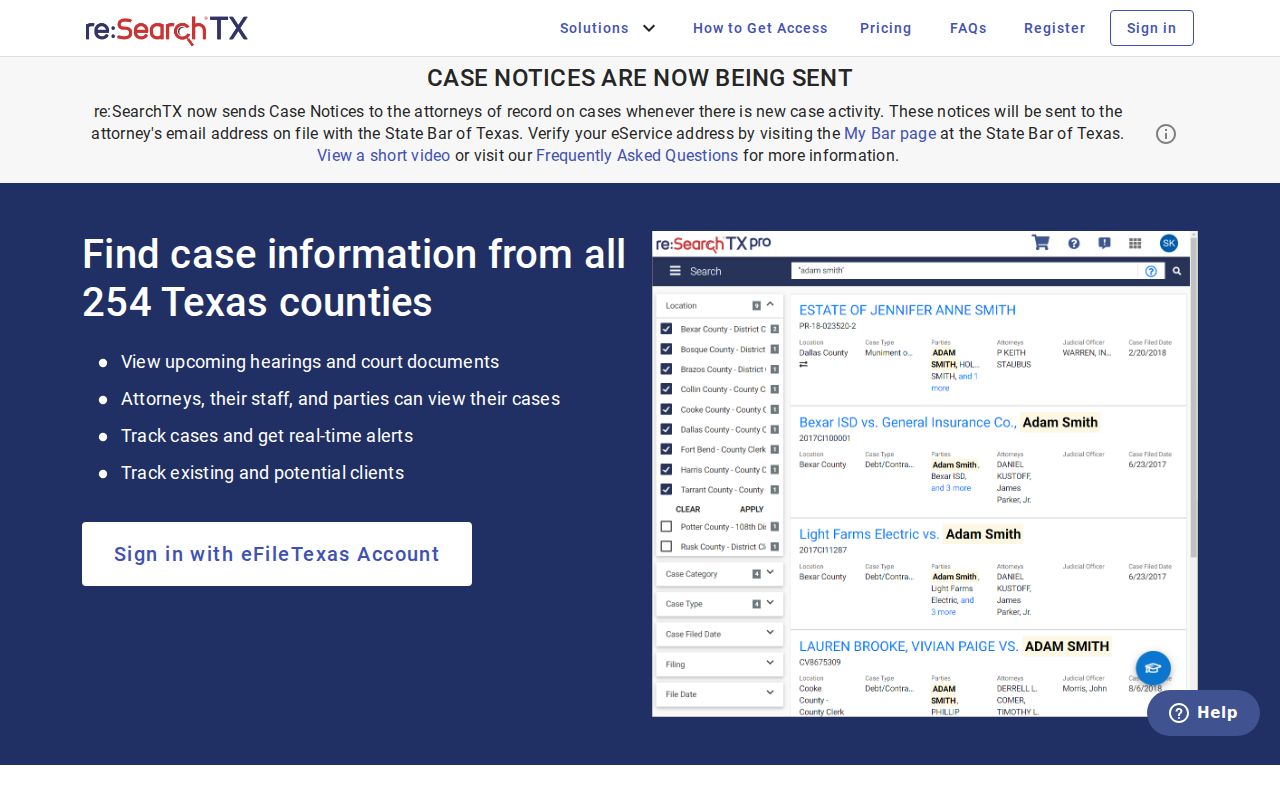
This registered statewide interface adds to the local county search. It does not fold every justice, municipal, or specialty docket into one complete index.
Johnson Register of Actions
The Register of Actions is the docket view, listing procedural events in date order. Read each label alongside what comes later. A filing entry does not mean a motion was granted. A notice of setting does not mean the hearing happened. A proposed order is not a signed order.
Old and new settings can sit side by side. A pass, reset, or continuance may leave the first date in place while adding a replacement. Related-case links can point to transfers or companion matters. When the current posture matters, weigh the newest entry against the signed order. Confirm the setting with the court coordinator.
Note: A visible event may have no public document image, and an online image is not automatically a certified copy.
What a Case Search Shows
A Johnson County case search usually returns an index, not the full evidentiary record. It can show the court, parties, counsel, case type or charge, filing history, settings, orders, and disposition. Financial fields may appear. Public totals can be incomplete or kept in a separate clerk system.
Do not mistake the docket for transcripts or certified judgments. Transcripts come from the official court reporter. A certified copy comes from the clerk holding the file. A register entry can stay visible. The document behind it may take a formal request.
Johnson Courts Use Separate Slices
The District Clerk keeps district civil, family, and felony matters. The County Clerk holds county-court civil, misdemeanor, probate, guardianship, juvenile, mental-health, and related dockets. Four Justice Courts handle fine-only misdemeanors, evictions, and civil matters generally up to $20,000. Municipal courts keep city ordinance and Class C records.
Child-protection settings sit elsewhere. They appear on a dedicated Eighth Region South Child Protection Court calendar, whose landing page uses docket-date links rather than a party-name form. This division matters. One county query cannot reach every Johnson County case.
County vs Statewide Case Search
For Johnson County case detail, the local system is the main public source. re:SearchTX adds a registered statewide research layer on top. It searches cases, filings, document text, and hearings with keyword and advanced controls. Users can apply filters and may save or export results, depending on their account.
| Channel | Best use | Limit |
|---|---|---|
| Johnson Odyssey | Local case detail and Register of Actions | Older images and separate courts may be absent |
| re:SearchTX | Statewide case, filing, document-text, and hearing research | Registration, coverage, and access rules apply |
| Clerk request | Older files, copies, and certification | Requires the correct custodian and record details |
Need a broader net than the county itself? The Texas Topics citation search covers citations and notices across the state, letting you query by name, cause number, court, county, or status. Treat it as a supplement, though, since it is not a full Johnson County docket.
When Johnson Lookup Finds Nothing
A blank result is common, so log the details first. Note the portal, the search route, your exact query, the date, and the result count. Then loosen the name match. Fix any spelling slips. Confirm you picked the right court, and search by cause number or citation instead. When a court is missing from the dropdown, go to that court's own page on the docket site. Phone browsers also tend to hide the event and document columns. So widen the view before giving up.
Still nothing? Call the District Clerk at 817-556-6839 or write to JCDC@johnsoncountytx.org for district cases. County Clerk research questions go to ccresearch@jocotx.org. Or use the address shown on its court page. You can ask by phone, email, mail, or in person at the Guinn Justice Center counter. Certified copies and older case images run through those same channels.
Restricted Cases and Access Rules
Not every Johnson County case shows up in a public docket search. A sealing order, juvenile confidentiality, an expunction, protective-order privacy, or a sensitive-data rule can hide a whole case. It may also hide just a party, one field, or a single document. Civil filings must handle sensitive data under Rule 21c. Rule 76a covers sealing of covered civil court records.
The Texas Judicial Branch access policy notes that court case records are not treated the same as executive records under the Texas Public Information Act. If access is denied, ask the clerk which rule applies. Ask whether a redacted public copy exists. Attorney or registered access cannot override a court's restriction.
Search limit: No result is not proof that no case exists. Confirm the venue, alternate docket system, age of the file, and lawful access restriction with the custodian.